Adding calculations

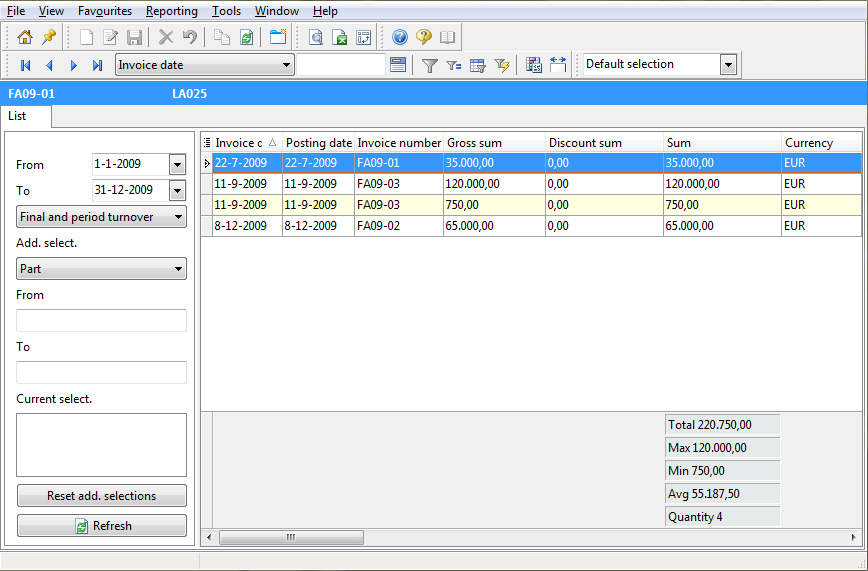
To summarize data in the list, you can perform several calculations. For every column containing numbers, you can add one or more calculations. For example, you could calculate the total order price, or the highest turnover achieved in a particular year.

To apply a function to a column:

  1. Right-click the header of the column on which you want to perform the calculation.
  2. Choose 'Column functions' and then choose the function you want to apply. At the bottom of the form a bar will appear, showing the calculated value.
  3. To assign more functions to the column, right-click the bar and select the option of your choice.

Note: In order to be able to use all functions, Advanced options by preset must be enabled.

Example

Adding calculations