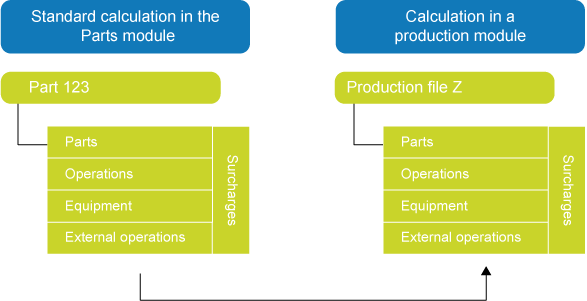
Once you have added a production file to an offer or order, you can add a calculation to the production file, consisting of parts, operations, equipment, external operations, and surcharges. You can choose to add an all-new calculation to the production file, or you can copy an existing calculation, which you then adapt to your requirements. Instead of copying all calculation components, you can also choose to copy only parts and operations from the calculation.
Run the Copy calculation from part to production file process to copy a calculation from the Parts module to a production file. If the source calculation contains any semi-finished articles, it is possible to immediately create production files for the underlying calculations. You can also choose to do this manually at a later stage, however.
Note: The Edit menu on the Production calculation for parts form has three copy options, which are all based on this form: Create production file and copy part calculation, Copy part calculation and delete part and Copy part calculation and do not delete part (phantom). Use these processes when you have added a new production part to a production calculation and you want to copy its calculation. In general, the order codes of these production parts indicate how the underlying calculation is copied, but your selection in the Edit menu has precedence. This means that the order code of the production part is ignored if you make a different choice in the Edit menu.