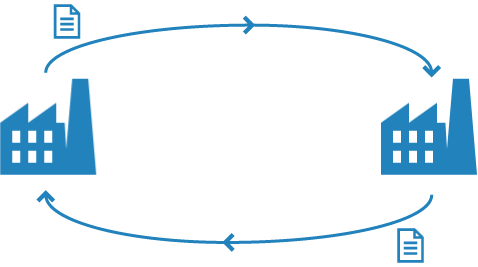
Supply chain integration optimizes the communication in the supply chain and simplifies your record keeping. Supply chain integration allows digital exchange of information between customer and supplier, such as orders and order confirmations. Once a purchase order from a customer is received and approved by his supplier, it is automatically registered as a sales order in the supplier's ERP system. The supplier then sends an order confirmation to his customer. After the customer has received and approved the order confirmation, the purchase status of the purchase order can be updated, if desired.
The purchase order and order confirmation are sent by email as an XML message, if desired along with a PDF of the order (or order confirmation).
Sending electronic messages
To send electronic messages, you need to configure a few settings. The messages you have sent are displayed on the Documents sent form. The procedure consists of the following steps:
Use the Document delivery method form to define the method to be used for sending electronic messages to customers and suppliers. Enter general details, such as recipients and sender, and use the following settings to configure electronic communication:
To use a specific delivery method for a customer and/or supplier, specify your preferred method for sending electronic messages to that customer or supplier.
Met de verwerking Verzenden documenten verstuurt u elektronische berichten op basis van de ingestelde verzendwijze. De geadresseerde ontvangt dan een e-mail met het elektronische XML-bericht (en eventueel een bijgevoegd rapport) en kan het bericht direct importeren in het eigen ERP-systeem.
Verstuurt u bijvoorbeeld een elektronische inkooporder dan ontvangt de leverancier deze order als XML-bericht per mail. Als de leverancier de inkooporder vanuit het e-mailprogramma importeert, wordt de inkooporder in Isah opgenomen. Als het bericht is goedgekeurd, wordt de inkooporder in het ERP-systeem van de leverancier opgeslagen als verkooporder.
Versturen als concept
To check an email before sending it, you can save the email, including any attachments, as a draft in your email application, and then send it later. You may want to do so if you want to test new email settings or if the email has to be approved first. If you select the Draft check box, the email and its attachments are saved in the Drafts folder of your email application. In Isah, the email is then considered as having been sent, and it is displayed on the Documents sent form. If the Draft check box is selected, it means that the email is a draft version. You will have to send the email to the intended recipients yourself from your email application.
The Documents sent form displays the details of electronic messages that have been sent. On the Electronic message tab, you can view the XML message itself.
Receive and import electronic messages
To receive and import electronic messages, perform the following steps:
Before you start using the supply chain integration functionality, specify the address of the web service used for the supply chain integration in the Isah License Server.


 Configuring customer- or supplier-specific settings