All Help texts have been revised to give you a clear description of the functionality of the current Isah version.
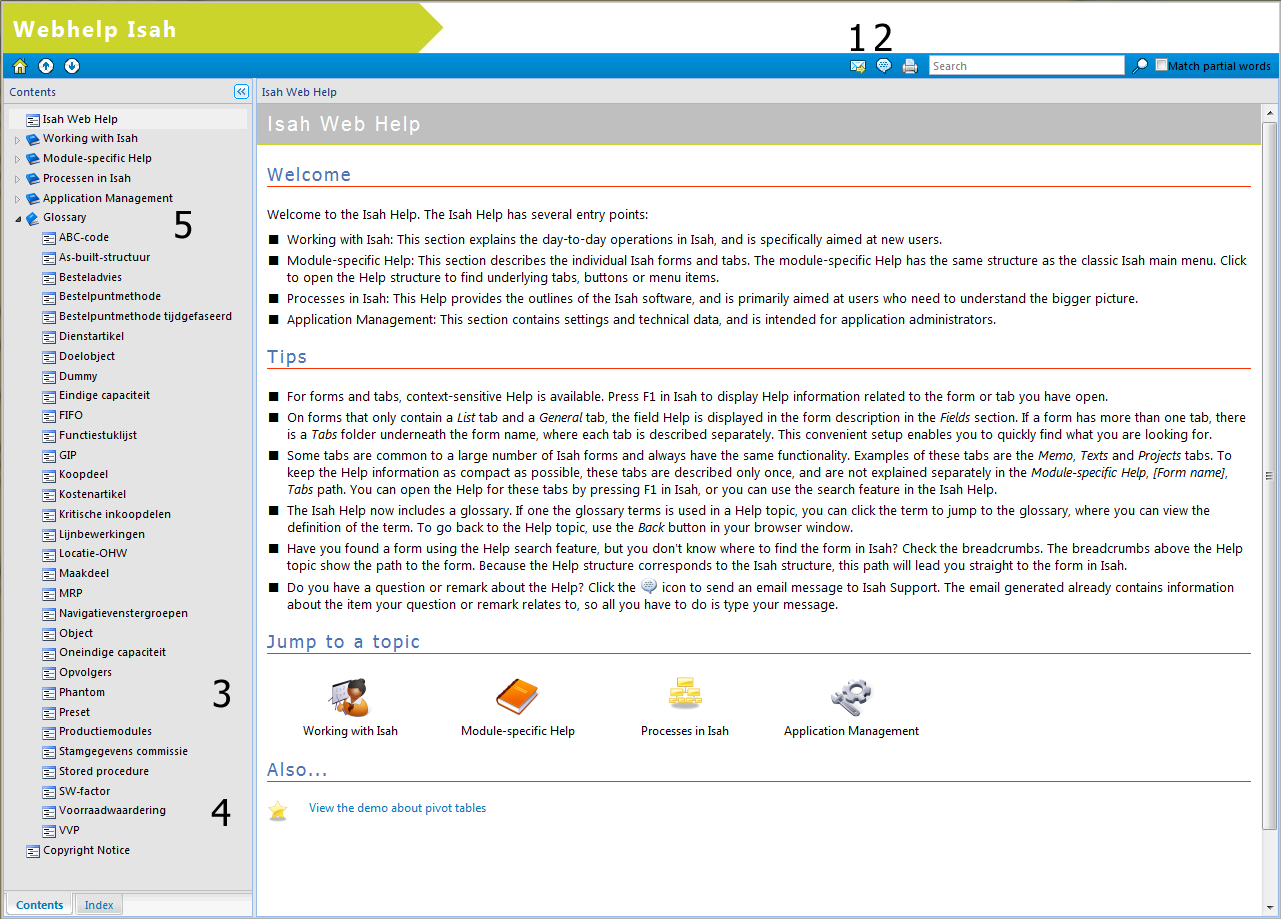
You can choose between online Help (Web Help on the Internet), or offline Help (a CHM file in the Isah Help folder on your computer). The online Help requires Internet access. All new Isah updates come with the latest version of the offline Help. The online Help is updated on a regular basis, independent of the Isah updates. The online Help makes it easy to send Help text to a colleague (1 in Figure 1), or to send comments about a Help text to Isah (2 in Figure 1).
The look and feel of the online Help has been adapted to meet modern standards.
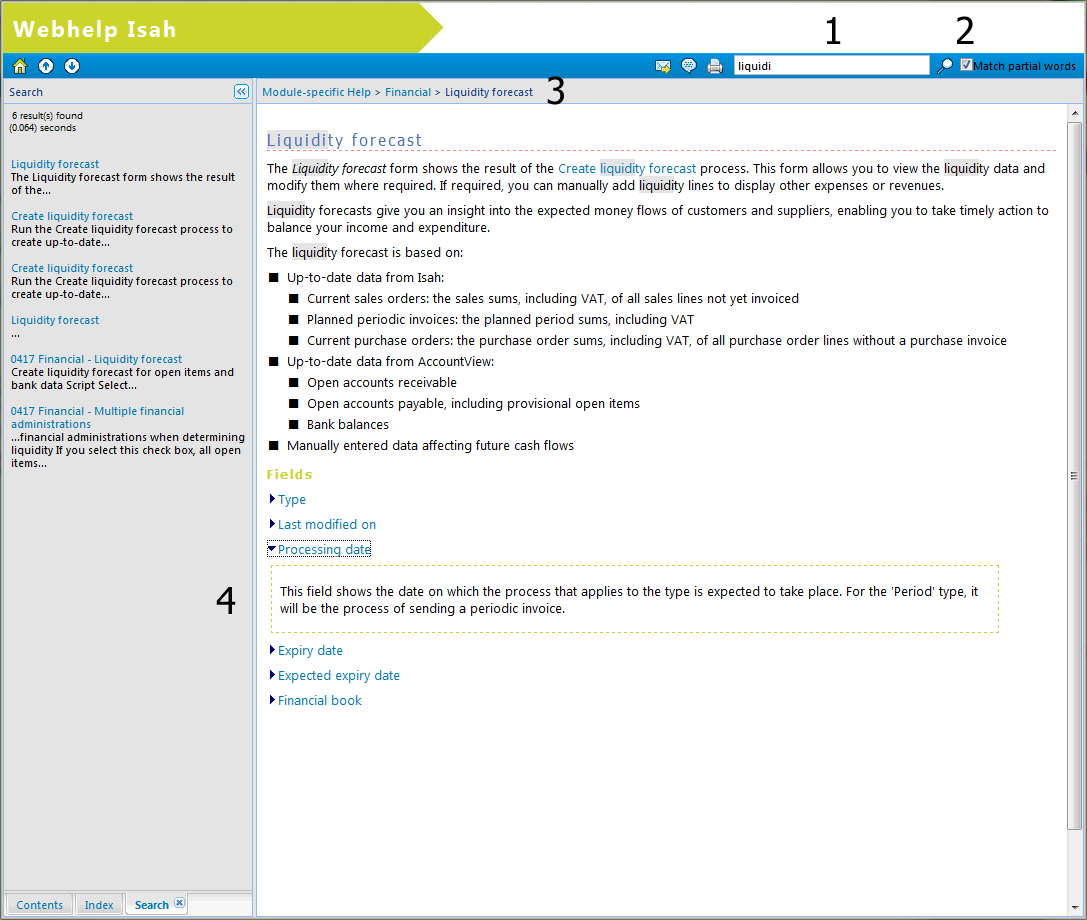
The search feature has been changed. When you display a topic, for example by entering a form name in the search box (1 in Figure 2), breadcrumbs appear at the top of the screen (3 in Figure 2), showing the location of the form in the Help and in Isah. You can also enter partial words as search terms (2 in Figure 2). For instance, you could enter 'liquidi' to find Help information about liquidity forecasts.
The Help has separate entry points for different types of Isah users (3 in Figure 1). Although all Help texts contain information that may at some point be of interest to users, the following distinction has been made:
New users: This section contains general information about working with Isah, and includes instructions, tips and tricks to help you work with Isah efficiently. You will learn the basics, such as how to enter data, and you will learn how to use more advanced options, including how to configure Isah and how to present data to suit your needs. To create pivot tables, for example, you can view the video (4 in Figure 1).
(Project) managers: This section describes the Isah processes, listing all options available in Isah. To zoom into a part of the process, simply click a process step. You will then see how and where you can perform the step.
Application administrators: This section relates to application management, and contains instructions, tips and tricks to help you manage the Isah application efficiently. It includes information about settings to be made in the General Settings module, actions to be performed at year end, and more.
Other users: This section contains module-specific Help, and has the same structure as the classic Isah main menu. This means that the menu can quickly take you to the form or function you want to know more about.
The Help has a different setup: For forms and a number of tabs, the Help provides descriptions of the most important fields. To retrieve Help for a field, click the field name (4 in Figure 2).
The new glossary contains explanations of Isah terms (5 in Figure 1).